22 September 2026
Reeve moves with the DJI Osmo Mobile 8
Reeve can now move your iPhone while it films, and follow surfers as they ride.
I’ve been wanting to make this work for a while, so I’m pretty excited about this one.
A few months ago, I started building my own motorized pan with a small stepper motor and a control board. I took the first prototype to the beach without really knowing if it would work… and it did.
Seeing the phone turn on its own and follow a surfer all the way along a wave was a pretty cool moment. I’d spent so much time building and testing it that watching it actually work felt a little unreal.
But then I realized something: maybe I didn’t need to build my own hardware at all.
There are already really good motorized gimbals out there, and iOS can let apps control some of them directly.
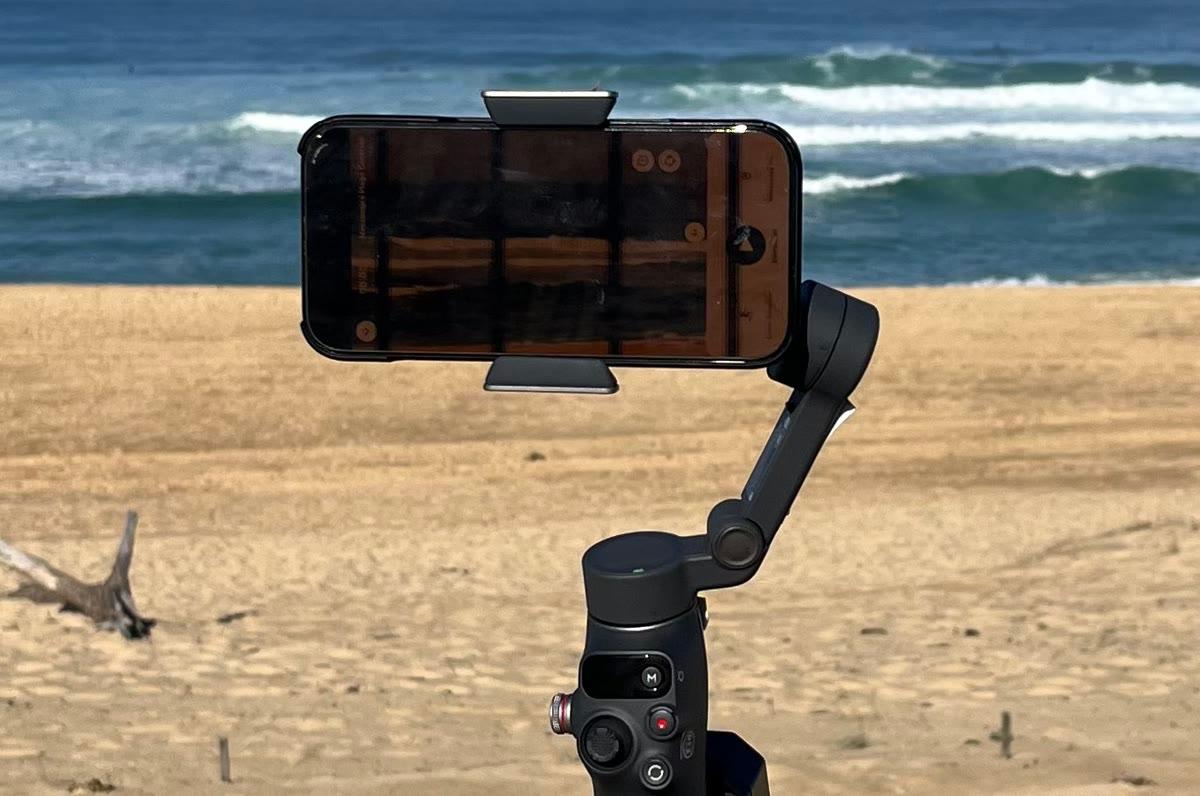
So I bought a DJI Osmo Mobile 8 and started playing around with it.
A few beach tests and quite a bit of tweaking later, it’s working really well. Reeve can now control the gimbal and move the iPhone to keep the surfer in frame.
And that opens up a lot of possibilities for what comes next.
What changes in the water
This is where having the gimbal gets really interesting.
When Reeve is waiting for a wave, the iPhone can now slowly scan the lineup instead of always looking at the same part of the spot.
As soon as Reeve detects someone surfing, it stops scanning and starts following them along the wave. Once the ride is over, the camera comes back toward the center and starts looking for the next surfer.
You don’t have to do anything. Set up the phone, start your session, and go surf.
And if you don’t have a gimbal, nothing changes. Reeve still works exactly as before with a fixed frame. The gimbal just gives the app a much larger area to look at and lets the camera follow the action.
Connecting the gimbal
I tried to make the setup as simple as possible.
There’s now a Connected Devices section on the Home screen. If you have a DJI Osmo Mobile 8, just tap the card and Reeve will guide you through the setup.
Turn the gimbal on, make sure Bluetooth and NFC are enabled, then hold your unlocked iPhone close to the NFC mark on the gimbal. Accept the pairing, put your phone in the clamp, and you’re good to go.
The nice thing is that the connection itself is handled by iOS, so there’s no complicated pairing or configuration to do inside Reeve.
Once everything is connected, you’ll also see a Test the movement button. Tap it and the gimbal will move right, left, then back to the center.
I added this for a very practical reason: I’d rather find out something isn’t connected while I’m still standing next to the tripod than once I’m already in the water 😅
If you want to go through the whole setup, there’s also a step-by-step Get started with a DJI Osmo Mobile 8 guide directly in the app.
Also in this release
The gimbal is the big addition, but I’ve also added a few other things I’ve been wanting to get into the app:
• Import your own clips. You can now bring videos from your camera roll into Reeve, trim them, and keep them in My Waves alongside your automatically recorded clips.
• Add notes to your waves. Useful if you want to remember what you were working on or what you want to improve next session.
• Merge sessions. If you surfed the same spot twice in one day, you can now combine both sessions into one.
• A proper 5×. On compatible iPhones, selecting 5× now uses the actual telephoto camera rather than digitally cropping the wider camera.
• Better control over cellular data. The setting now also covers downloads, personal hotspots and Low Data Mode.
There’s quite a lot packed into this update, so I’d love to hear how it works for you.
And especially if you have an Osmo Mobile 8, give it a try on your next session and let me know how it goes. Good, bad, weird bugs… everything helps.
Follow us on Instagram for more updates: @reeve_surf.