30 October 2026
Reeve Now Supports DJI and Insta360 Gimbals
Back in September, Reeve took a big step forward: making it possible for your iPhone to automatically track surfers using a motorized gimbal. Until now, this feature was only available with the DJI Osmo Mobile 8.
But not everyone owns that model, and the whole point of Reeve isn’t to make you buy new equipment just to use it. So I’ve been working on expanding compatibility, allowing you to use the gimbal you already own.
Reeve now supports a wide range of DJI gimbals, from the earlier Osmo Mobile models to the latest RS series, as well as the Insta360 Flow Pro and Flow 2 Pro.
And that’s not all! Since my last post, several new features have been added, including session sharing, video analysis with side-by-side maneuver comparisons, and a completely redesigned video player.
Here’s a look at what’s new.
Which gimbals are supported?
Here’s the full list of gimbals currently supported by Reeve:
• DJI Osmo Mobile: Osmo Mobile 3, OM 4, OM 4 SE, OM 5, Osmo Mobile SE, 6, 7, 7P, 8, and 8P.
• DJI RS: RSC 2, RS 2, RS 3, RS 3 Mini, RS 3 Pro, RS 4, RS 4 Mini, RS 4 Pro, and RS 5.
• Insta360: Flow Pro and Flow 2 Pro.
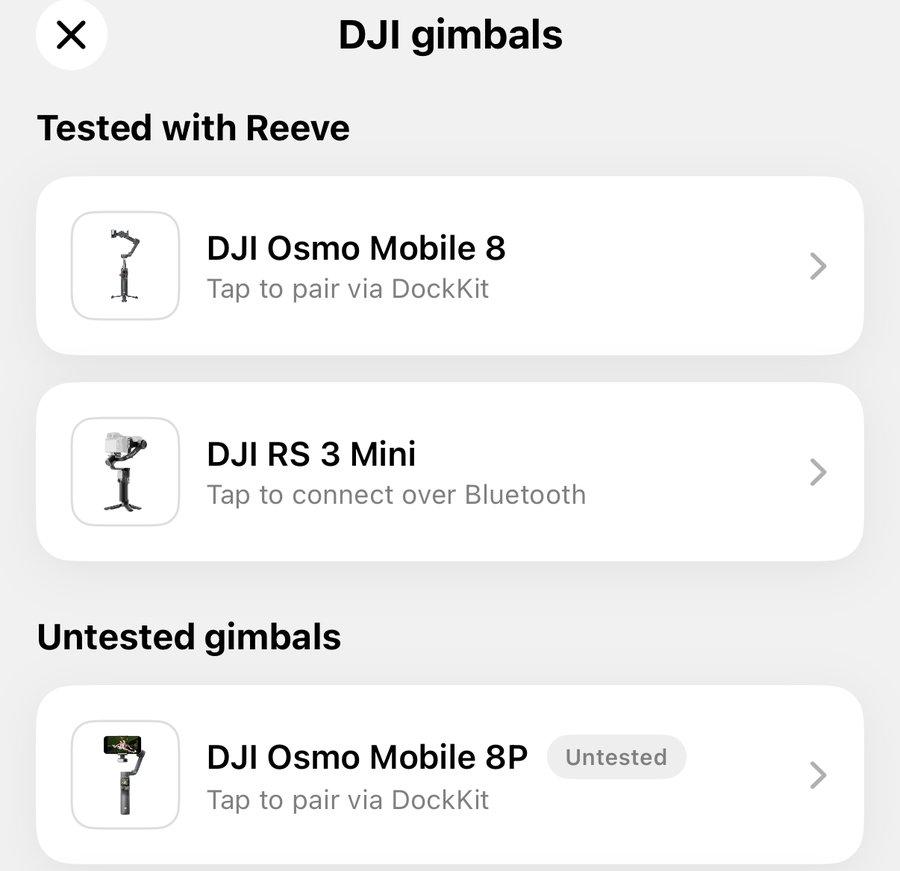
One thing worth mentioning: so far, I’ve only been able to test two models in real-world conditions at the beach: the Osmo Mobile 8 and the RS 3 Mini.
The other models use the same communication protocols, so they should work in the same way, but I haven’t had the chance to test them all yet.
If you own one of these gimbals, I’d love to hear how it works for you! Whether everything runs smoothly or you run into an issue, don’t hesitate to reach out. Your feedback will help me improve compatibility across different models.
When connecting for the first time, Reeve also runs a quick compatibility test. Simply mount your iPhone on the gimbal, place it on a table or tripod, and start the test.
The gimbal will make a few small movements to the right and left to check that everything is working as expected. Once the test passes, Reeve can take control of the gimbal.
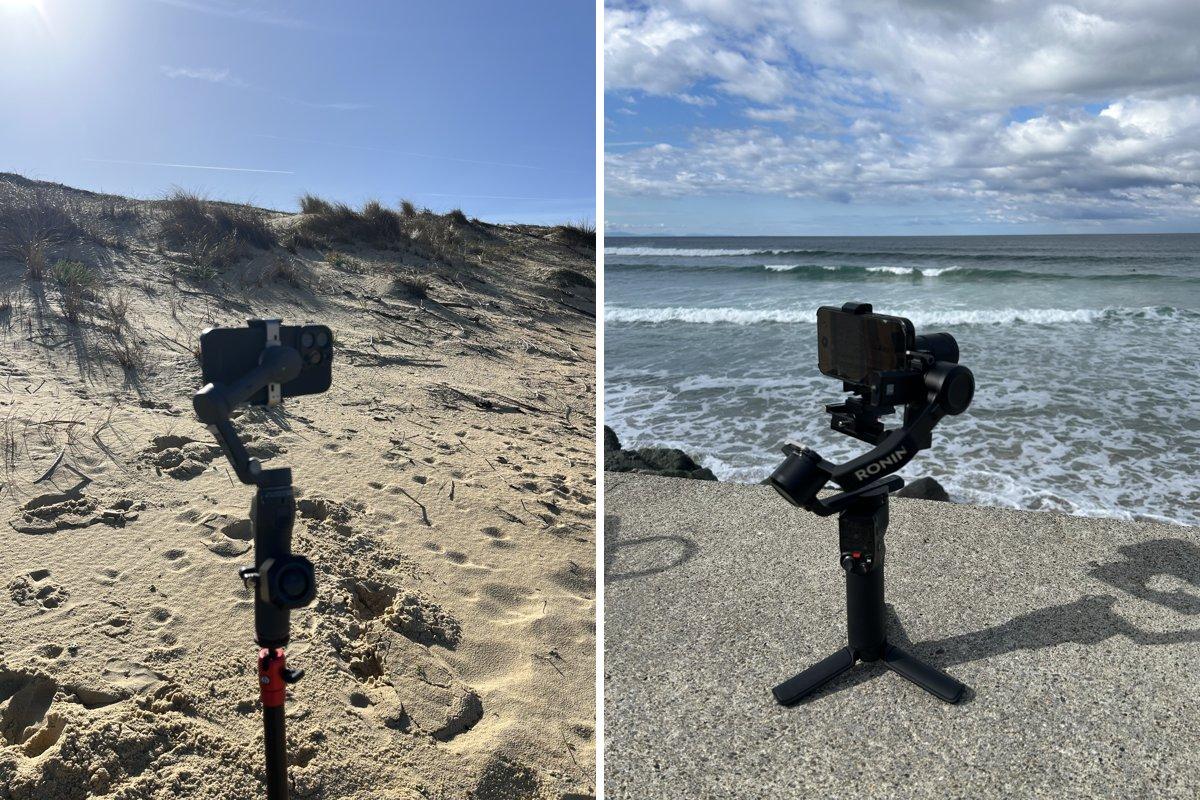
And what happens once you’re at the beach?
Everything works just like it does with the Osmo Mobile 8. When nobody is riding a wave, your iPhone automatically scans the surf spot. As soon as a surfer catches a wave, Reeve detects them and follows their ride.
Once the wave is over, the iPhone returns to the center and starts looking for the next surfer.
How to connect your gimbal
You can connect your gimbal directly from Reeve’s Home screen.
Just tap “Connect your gimbal”, select your model from the list, and follow the on-screen instructions.
The setup process varies slightly depending on your gimbal:
• Osmo Mobile 8, 8P, and Insta360 Flow: These connect directly through iOS. For the Osmo Mobile models, simply hold your unlocked iPhone near the NFC symbol on the gimbal and accept the connection.
• Other DJI gimbals: These connect via Bluetooth. Turn on your gimbal, make sure it has already been activated through DJI Mimo or Ronin, and close those apps on any other devices. Since the gimbal can only connect to one device at a time, you can then start the connection from Reeve.
If you run into any issues, each model has its own “Having trouble connecting?” section with solutions to the most common problems.
You’ll also find a button to contact me directly, along with the connection details detected by Reeve. If something isn’t working as expected, please let me know!
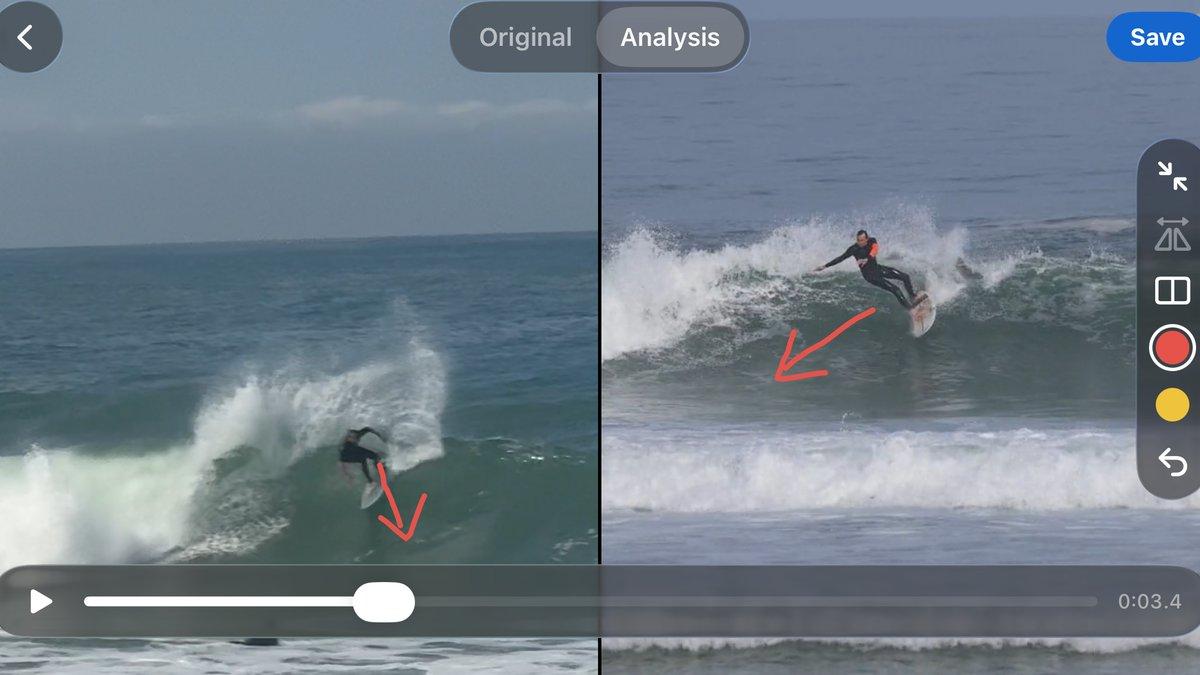
Analyze your waves and compare maneuvers
This is another major addition to Reeve.
Reeve isn’t just about recording your surf sessions anymore. You can now analyze your waves directly in the app.
Simply open a wave and select the “Analysis” tab at the top of the screen.
From there, you can draw directly on the video, add notes at specific moments, zoom in on the surfer, or slow things down to take a closer look at each movement.
You can also compare your wave with a reference maneuver by displaying two videos side by side.
Choose a maneuver from Reeve’s library or import one of your own videos. You can then adjust the playback speed, zoom, and orientation of each video to line up the movements and compare your turns frame by frame.
All your analyses are automatically saved with your waves and synced to reeve-app.com. This means you can start analyzing a wave on your iPhone and pick up where you left off on your computer.
To add your own reference clips, head to “Progress” → “Maneuvers”. Import videos from your photo library, assign them a maneuver type, and they’ll automatically sync across your devices.
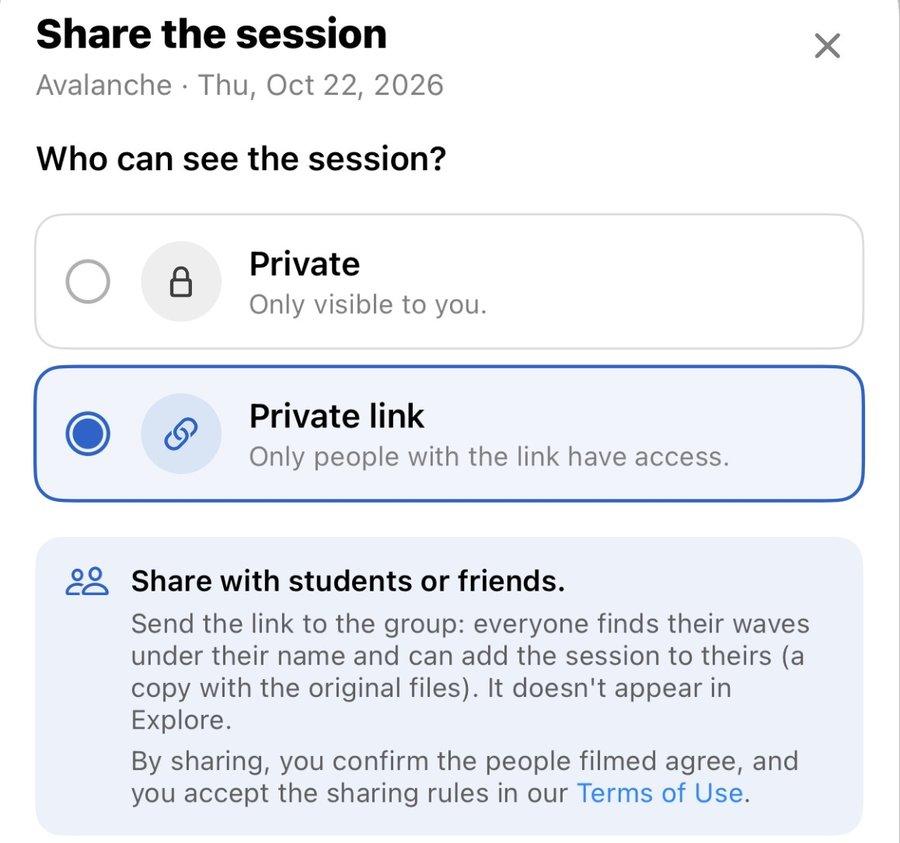
Share your sessions with friends
Since October, you can also share your surf sessions directly from Reeve.
Simply open a session’s menu and generate a private link that you can send to your friends or coach.
Only people with the link can access the session.
This is especially useful when several surfers have been recorded during the same session, or when a coach wants to share footage with their students.
Everyone can find the waves assigned to their name and add the entire session to their own library, including all the videos.
Sessions that others have shared with you can be found under “Shared with me”.
And there’s more!
Two other updates were released in October that I haven’t had the chance to cover here yet.
Here’s a quick rundown of the other improvements added to Reeve over the past few weeks:
• A completely redesigned video player: Inspired by Apple’s Photos app, you can now swipe between waves, save your favorites, and filter sessions by surfer, favorites, or analyzed waves.
• Smarter video cropping: Cropping no longer modifies your original video, so you can adjust or undo it whenever you want. It can also automatically follow a specific surfer with smoother camera movements.
• Better synchronization: Changes made on the website, including notes, surfer names, ridden waves, and groups, now automatically sync back to your iPhone.
• Resume your sessions: Accidentally stopped recording too early? You can now resume a session right where you left off, and any new waves will be added to the same session.
• New moderation options: You can now block a surfer or report a shared session directly from its menu.
What’s next?
As always, your feedback is incredibly valuable in helping me improve Reeve.
I’m especially interested in hearing from anyone who owns a gimbal I haven’t had the chance to test yet.
If that’s you, give the connection a try, take your gimbal to the beach, and let me know how it goes. Whether everything works perfectly or you encounter an issue, your feedback will help me make Reeve better for everyone.
And to stay up to date with what’s coming next, follow Reeve on Instagram: @reeve_surf.